Exploration Mode
What exploration is best for
- Fast sanity validation
- Finding unexpected UI/flow issues
- Learning how users can get "stuck" on real screens
What you configure
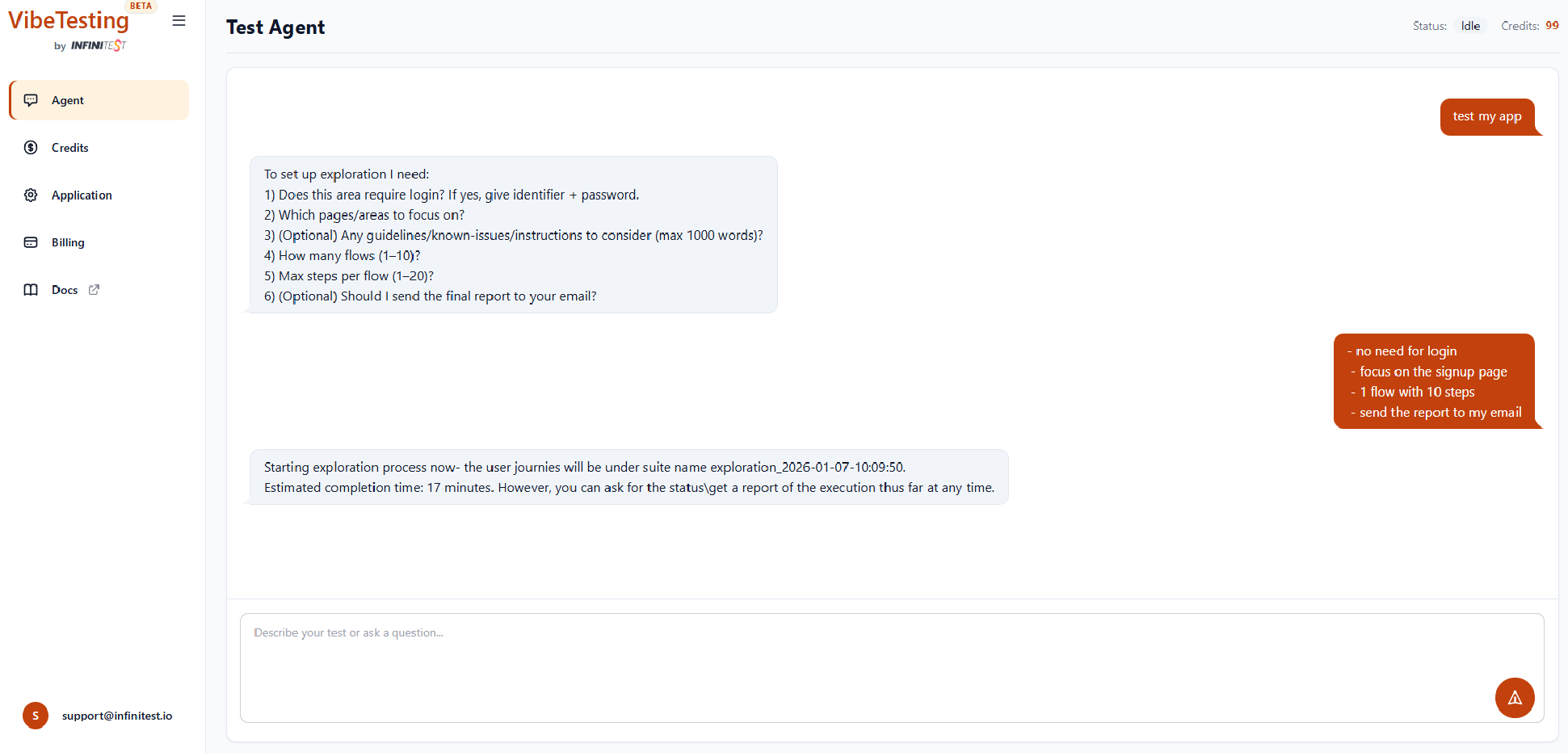
When you type "Test my app", the agent will ask about:
- Whether login is needed (open app or first-party username/password — see Quickstart)
- Focus areas (pages/features to explore)
- Optional General Instructions — guidelines / known issues (up to ~1000 words)
- Number of flows
- Max steps per flow
- Optional email report
How exploration behaves
- The agent tries different safe actions ("sampling") to increase coverage
- It respects your focus areas and guidelines
- It flags issues with severity and context
Batched exploration
When using batched execution, exploration batches can cover different themes or focus areas, increasing coverage across your application in a single run.
Monitoring progress
Exploration runs in the cloud. You can monitor:
- Current flow and step
- Actions taken
- Real-time logs via the logs dashboard
- Intermediate status (the final email report includes full details and issue screenshots)