Core Concepts
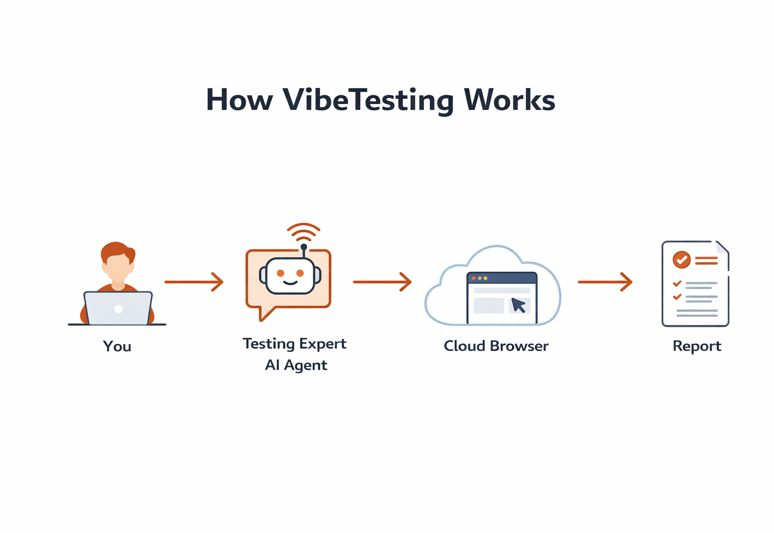
Key objects
Application
The web application you want to test. For cloud execution, the application must be reachable over the public web. VibeTesting targets the DOM (standard HTML elements and structure); stacks that expose the DOM — for example React, Angular, Vue, or server-rendered pages — work as expected. UIs without DOM-backed controls (such as canvas-only interfaces) may not be testable. See Does my app need a DOM-based UI?.
Test run
One execution of a test in one of two modes:
- Exploration (the agent decides safe next actions)
- Guided (the agent follows your Tests Guidelines: flow goals or step-by-step)
Flow Goal
A Flow Goal is a saved, reusable natural-language objective that describes a user outcome VibeTesting should verify. Examples include completing onboarding, updating settings, checking checkout, or validating a critical regression path.
Saved Flow Goals are managed under Inventory -> Flow Goals and can be run from Inventory, the External API, or the VibeTesting skill using the app URL and configuration already verified in the dashboard.
Flow Goal Suite
A Flow Goal Suite is a reusable collection of saved Flow Goals. Suites are useful for smoke packs, release checklists, critical path coverage, onboarding validation, and other shared QA inventories.
Flow Goal Suites are managed under Inventory -> Flow Goal Suites and can be run by ID or name through Inventory, the API, or skill with shared runtime options such as login configuration, general instructions, max steps per flow, reporting, and parallel execution.
Suite
A suite is a named collection of tests that you can re-run anytime. Suites help you organize testing by goal, for example:
- Checkout process
- Adding new items
- Sanity before release
Suites make it easy to validate fixes and catch regressions by re-running the same flows after changes. You can trigger re-runs from the agent chat or via the External API.
Inventory
The Inventory gives you a central view of all suite executions, suites, and individual tests — with execution status, timestamps, and result metrics.
Execution modes
Exploration
In exploration mode:
- You define focus areas and optional General Instructions
- The agent samples safe actions to increase coverage
- The agent reports UI and flow problems with severity and context
Guided
In guided mode:
- You provide Tests Guidelines for each flow (either high-level goals or explicit step-by-step)
- You can also provide General Instructions that apply to the whole run (constraints, known issues, focus areas)
- The agent follows your intent strictly, staying on-path to complete the described journey
- Best for testing specific user flows, whether you express them as goals or as step-by-step instructions
What the agent does (high level)
VibeTesting orchestrates multiple AI capabilities to:
- Propose the next safe action (exploration)
- Follow user-provided Tests Guidelines (guided)
- Detect UI and functional issues (overlaps, broken flows, broken links, error states)
- Locate the correct element to interact with on each step
Additional capabilities
- Real-time logs — follow execution progress as it happens with streamed log entries
- Batched execution — run tests in parallel batches to reduce total execution time
- Flow Goals & Suites — save reusable user-centric validations and run them across releases, branches, and automated workflows
- PRD upload — generate test flows from product requirements; maintain separate PRDs per app URL
- Scheduling — run tests on a schedule: one-time, daily, or weekly, via chat or API
- External API — trigger and manage executions from CI/CD or third-party systems