Running Tests
Overview
You can run tests in VibeTesting in two execution modes:
- Exploration — the agent freely explores your app within defined focus areas
- Guided — you provide Tests Guidelines (flow goals or step-by-step), and the agent stays on-path
All modes run in the cloud and produce a results summary. You can also enable an email report that includes screenshots.
Quick setup flow
- Sign up / log in
- Under Application, enter your application URL
- Open the Agent page
- Start a run (Exploration or Guided)
Choose an execution mode
Exploration (recommended for first run)
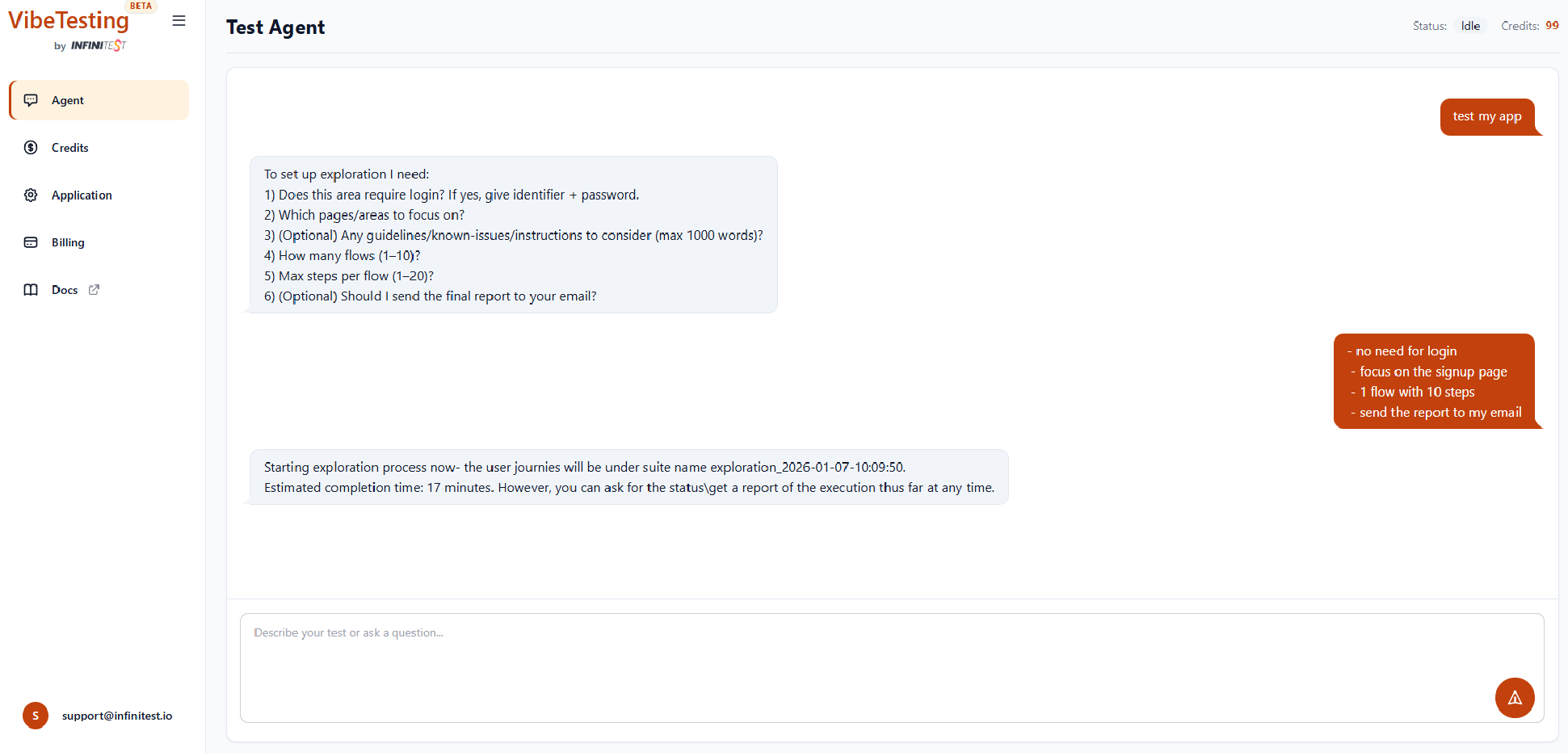
Example: Starting an Exploration run - the agent asks for login, focus areas, number of flows, steps, and whether to send a final report by email.
Use exploration when you want:
- Fast sanity validation
- Broad coverage without writing steps
- Automatic discovery of obvious UI/flow issues
Continue: Running Tests → Exploration Mode
Guided mode
Use guided mode when you want:
- To test specific user flows described in natural language
- The agent to follow your intent strictly without free exploration
- Goal-oriented testing or step-by-step testing using Tests Guidelines
Continue: Running Tests → Guided Mode
Suites and reruns
- Group tests into suites
- Re-run by suite name any time — from the agent chat or via the External API
- Use reruns to validate fixes and catch regressions
Example suite names:
- Checkout process
- Adding new items
- Sanity before release
Real-time logs
Execution logs are streamed in real time while tests run. See Real-Time Logs for details.
Batched execution
Run tests in parallel batches to shorten feedback loops. See Batched Execution for details.
Coming soon
- Scheduling runs ahead of time
- MCP support
- Additional user actions (drag and drop, multiple tabs/windows)