Exploration Mode
What exploration is best for
- Fast sanity validation
- Finding unexpected UI/flow issues
- Learning how users can get “stuck” on real screens
What you configure
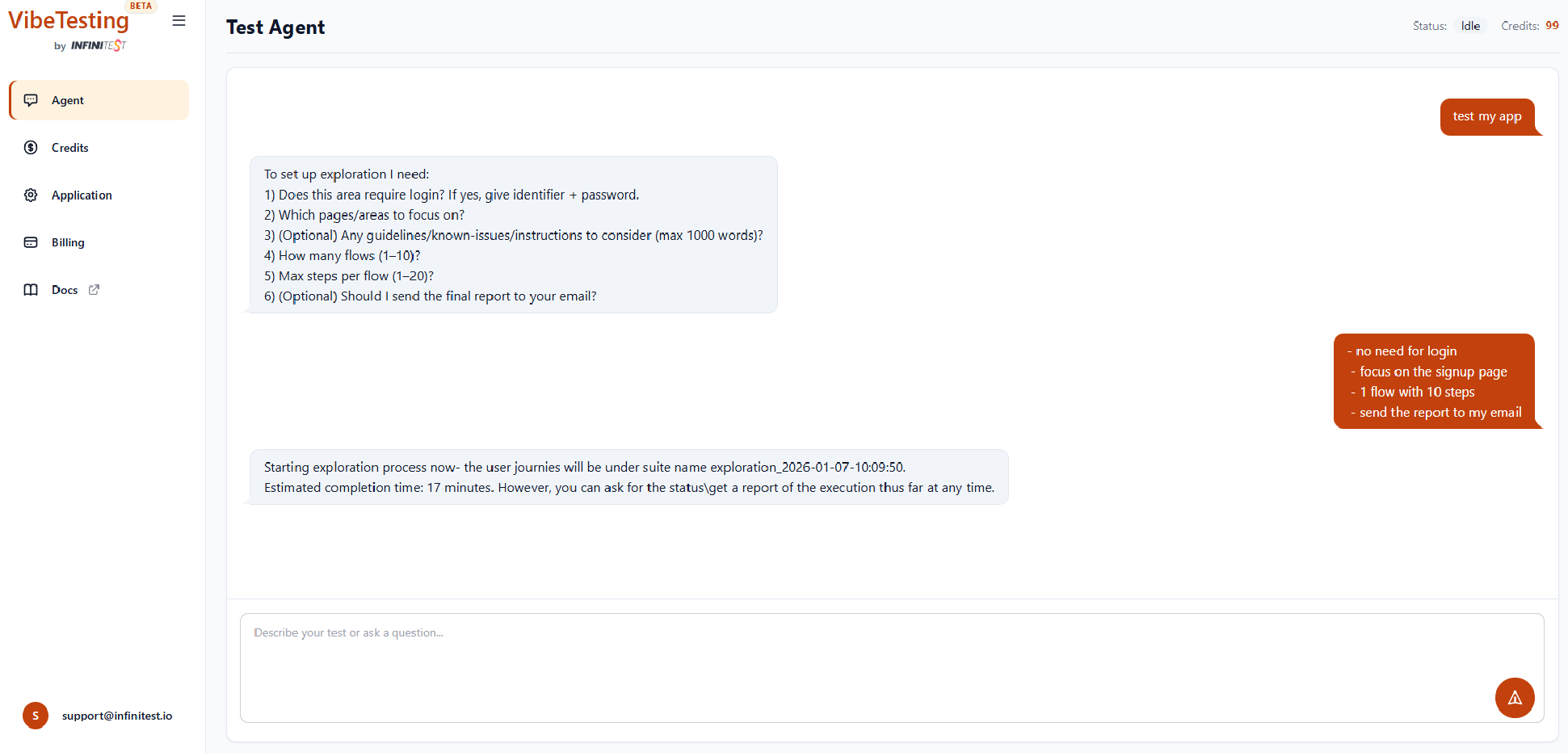
When you type “Test my app”, the agent will ask about:
- Whether login is needed (credentials-based only)
- Focus areas (pages/features to explore)
- Optional guidelines / known issues (up to ~1000 words)
- Number of flows
- Max steps per flow
- Optional email report
How exploration behaves
- The agent tries different safe actions (“sampling”) to increase coverage
- It respects your focus areas and guidelines
- It flags issues with severity and context
Monitoring progress
Exploration runs in the cloud. You can monitor:
- Current flow and step
- Actions taken
- Intermediate status (the final email report includes full details and issue screenshots)