Core Concepts
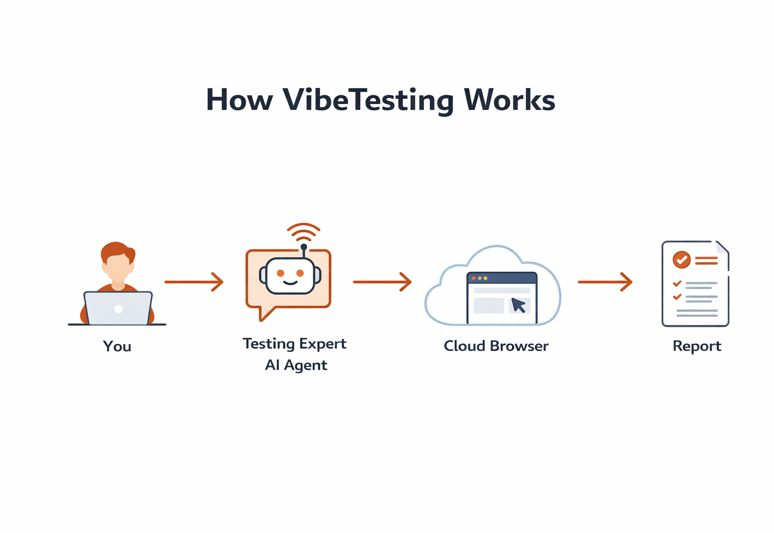
Key objects
Application
The web application you want to test. For cloud execution, the application must be reachable over the public web.
Test run
One execution of a test in one of two modes:
- Exploration (the agent decides safe next actions)
- Guided (the agent follows your Tests Guidelines: flow goals or step-by-step)
Suite
A suite is a named collection of tests that you can re-run anytime. Suites help you organize testing by goal, for example:
- Checkout process
- Adding new items
- Sanity before release
Suites make it easy to validate fixes and catch regressions by re-running the same flows after changes. You can trigger re-runs from the agent chat or via the External API.
Inventory
The Inventory gives you a central view of all suite executions, suites, and individual tests — with execution status, timestamps, and result metrics.
Execution modes
Exploration
In exploration mode:
- You define focus areas and optional General Instructions
- The agent samples safe actions to increase coverage
- The agent reports UI and flow problems with severity and context
Guided
In guided mode:
- You provide Tests Guidelines for each flow (either high-level goals or explicit step-by-step)
- You can also provide General Instructions that apply to the whole run (constraints, known issues, focus areas)
- The agent follows your intent strictly, staying on-path to complete the described journey
- Best for testing specific user flows, whether you express them as goals or as step-by-step instructions
What the agent does (high level)
VibeTesting orchestrates multiple AI capabilities to:
- Propose the next safe action (exploration)
- Follow user-provided Tests Guidelines (guided)
- Detect UI and functional issues (overlaps, broken flows, broken links, error states)
- Locate the correct element to interact with on each step
Additional capabilities
- Real-time logs — follow execution progress as it happens with streamed log entries
- Batched execution — run tests in parallel batches to reduce total execution time
- PRD upload — generate test flows automatically from your product requirements
- Scheduling — run tests on a schedule: one-time, daily, or weekly, via chat or API
- External API — trigger and manage executions from CI/CD or third-party systems